Extension Pro
White-Label PDF Reports
Prepare a client-facing cookie audit PDF with your company name, recipient details and review notes.
View sample reportA client needs to know what was tested, what needs attention and who should fix it. A browser table is useful to the developer, but it rarely answers those questions on its own. ConsentScope Pro turns captured scan data into a PDF that you can review and deliver with an explanation of the scope.
The report options support a company name, a prepared-for label and notes, plus an option to hide the generated footer. They help separate the client-facing document from the raw debugging material. The current report flow is not a visual design editor or a tamper-evident certification service.
Use the PDF for communication, then keep detailed reproduction steps and reviewed diagnostic exports in your issue tracker. Report generation processes the submitted scan through the ConsentScope API. Check that the data is appropriate to share before exporting.
Demonstration report
Read the report before choosing Pro
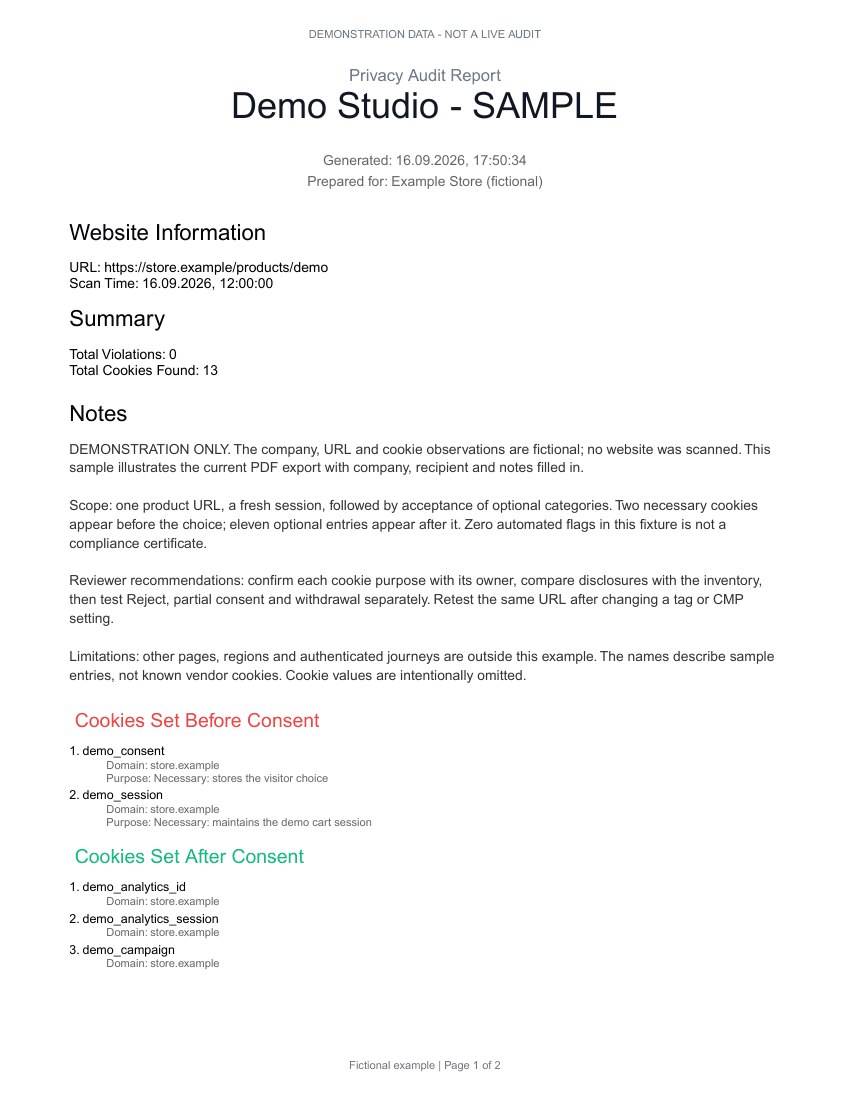
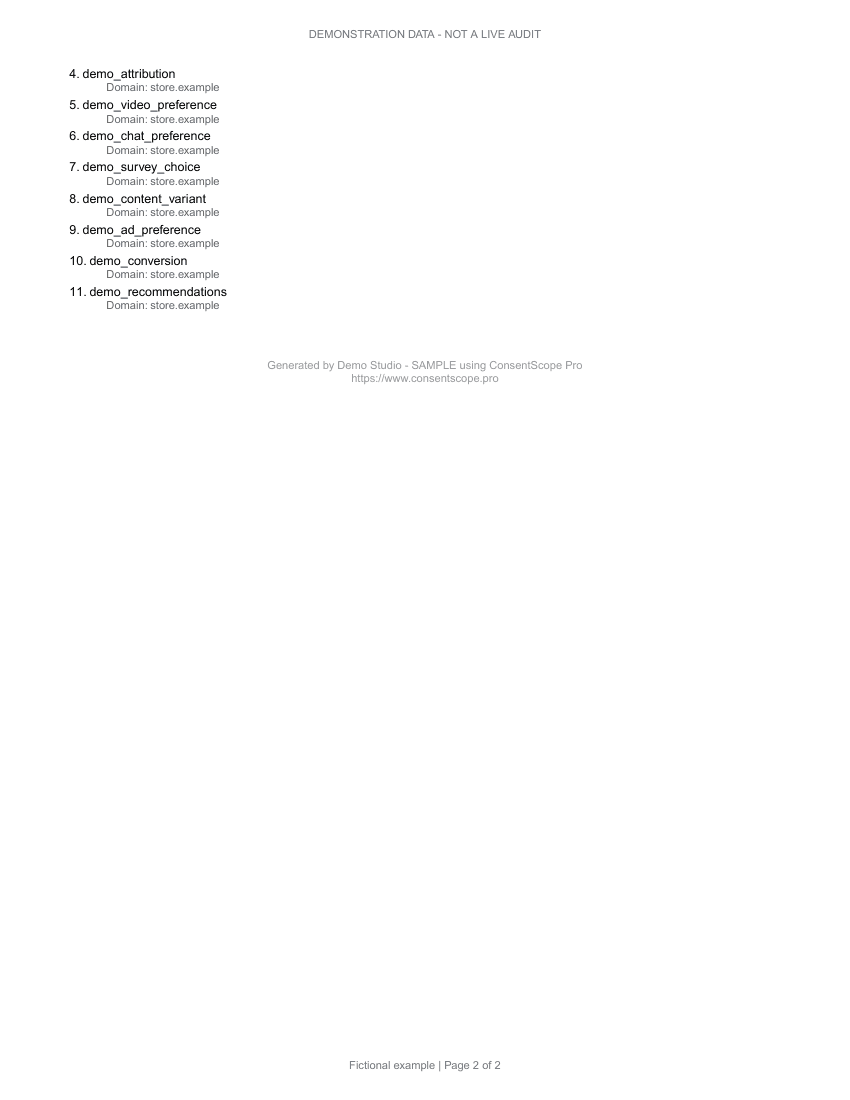
These are pages from the downloadable PDF, generated with our report template. The website, company and observations are fictional. This is not a live audit or a compliance certificate.
PDF · Fictional demonstration data · No sign-in required
Write the scope before the executive summary
Start the report notes with the tested URLs, session state and date. Say whether the work was a passive baseline or included consent interactions. A reader should not have to infer that a scan of one landing page excludes the checkout and logged-in account area.
If the scan timed out, record that limitation and arrange another test. Do not remove a failed URL from the narrative simply because it makes the result harder to explain. A client deciding whether to launch needs to know which parts were tested and which remain uncertain.
Separate observations from recommendations
| Report element | Useful wording | Avoid |
|---|---|---|
| Observation | Analytics identifier observed before interaction on the tested product URL | The whole site is illegal |
| Recommendation | Inspect the product-template analytics loader and retest Reject | Fix GDPR |
| Status | Reproduced in the listed browser; remediation not yet retested | Resolved because a setting was changed |
These are illustrative examples, not findings about a specific customer. Use the actual vendor, URL and timing from your scan. If you cannot confirm what a request does, mark it for investigation. A confident but unsupported label makes the document harder to act on.
Choose the right evidence for each audience
A project owner usually needs a prioritized list with an owner and next action. The engineer needs the steps, consent phase and request details. Keep both, but do not force the entire diagnostic payload into the executive summary. Link the report to a private technical issue when more detail is required.
Use Debug Snapshot for structured developer context and Initiator Trace to identify a possible loading path. Inspect any screenshot for personal information. Redacted cookie values do not guarantee that every URL or visible field is safe to distribute.
Make the retest comparable
After a fix, repeat the original test conditions. A result from a different route, region or consent state cannot demonstrate that the original issue was resolved. Preserve the earlier report and explain which findings were reproduced, resolved or left outside the new scope.
For several clients, use a consistent naming scheme such as client, site, test date and review status. That is an operating practice your agency controls, not a built-in certification workflow. The bulk scanner can supply passive baselines for a URL batch, while interactive checks remain separate.
Reports and cloud monitoring are different purchases
Extension Pro supports the browser reporting workflow. The Monitor and Agency subscriptions cover recurring cloud monitoring and their respective scan allowances. Choose the product that matches where the audit runs; a lifetime extension license should not be presented to a client as unlimited scheduled cloud scanning.
How it works
Run the selected audit and review the observations, including incomplete or ambiguous results.
Enter the company name, recipient and notes available in the report options.
Generate the PDF and inspect its scope, tables and conclusions before sharing.
Retest affected URLs after remediation and issue a new report that identifies the updated scan.
Key benefits
A readable handoff
Give the client a document built from the observations you reviewed.
Company and recipient context
Identify who prepared the report and who it is for.
Room for limitations
Use notes to explain scope, exclusions and follow-up work.
Who is it for
Privacy consultants
Give clients a report with your company name, reviewer notes and a defined audit scope.
Law firms
Attach technical observations to an assessment that receives separate legal review.
Digital agencies
Include tested URLs and remediation findings in launch or retainer deliverables.
DPOs
Document the tested consent states and assign follow-up questions to the right team.
Frequently asked questions
Can I upload a custom logo or redesign every page?
Is the PDF a compliance certificate?
Does hiding the footer change the findings?
See what your client receives
Open the sample to review its summary, cookie observations and auditor notes. It uses fictional data and is available without an account. PDF exports are included in Extension Pro.
View sample report