Extension Pro
IAB TCF Decoder for Browser Consent Audits
Inspect the TC string and CMP-provided purpose signals in the active tab. Compare them with the choices made in the consent banner.
Compare plansA Transparency and Consent Framework string encodes consent-related choices for advertising integrations. ConsentScope’s Pro decoder reads available TCF data from the active page’s CMP API and presents the returned consent information.
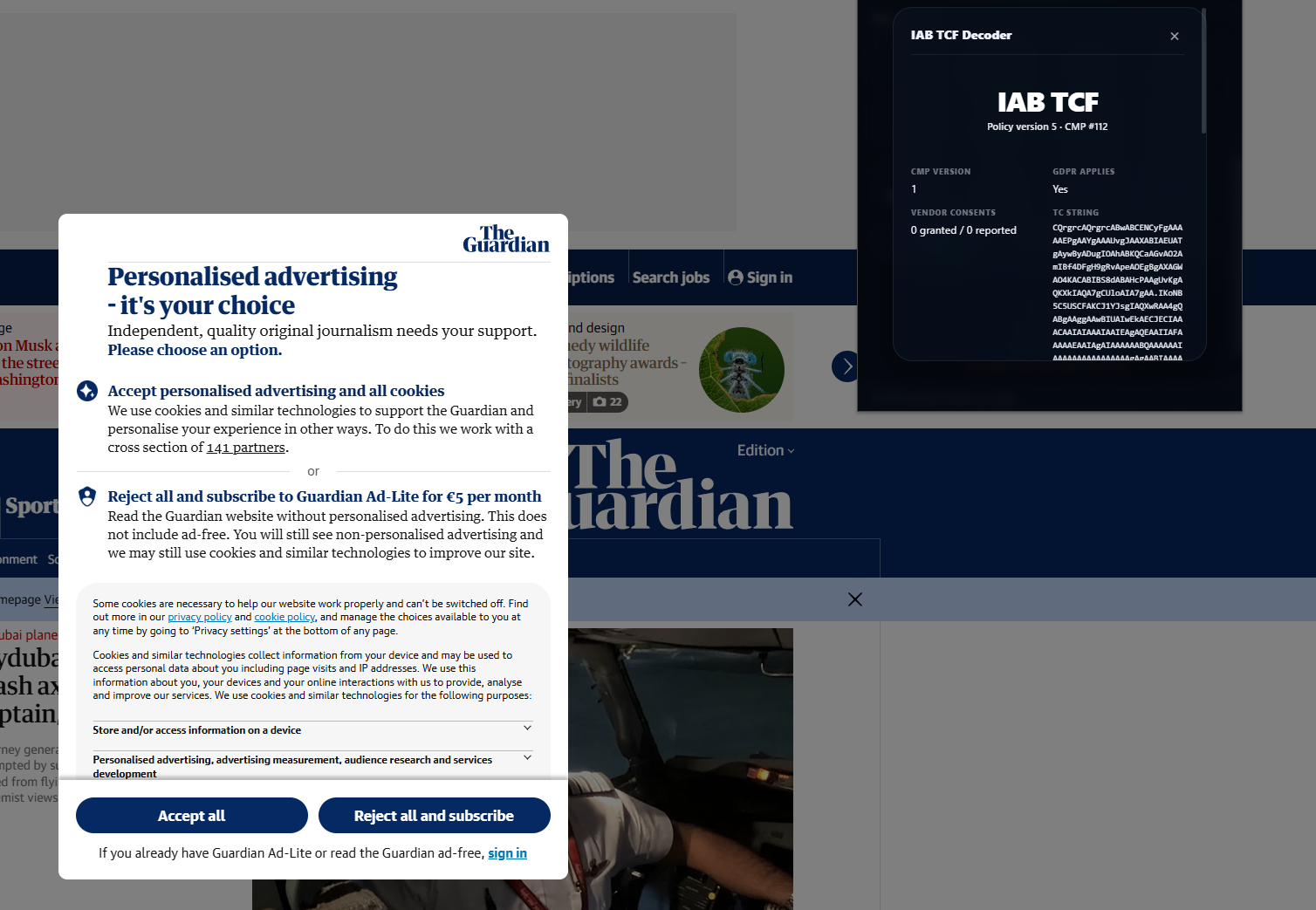
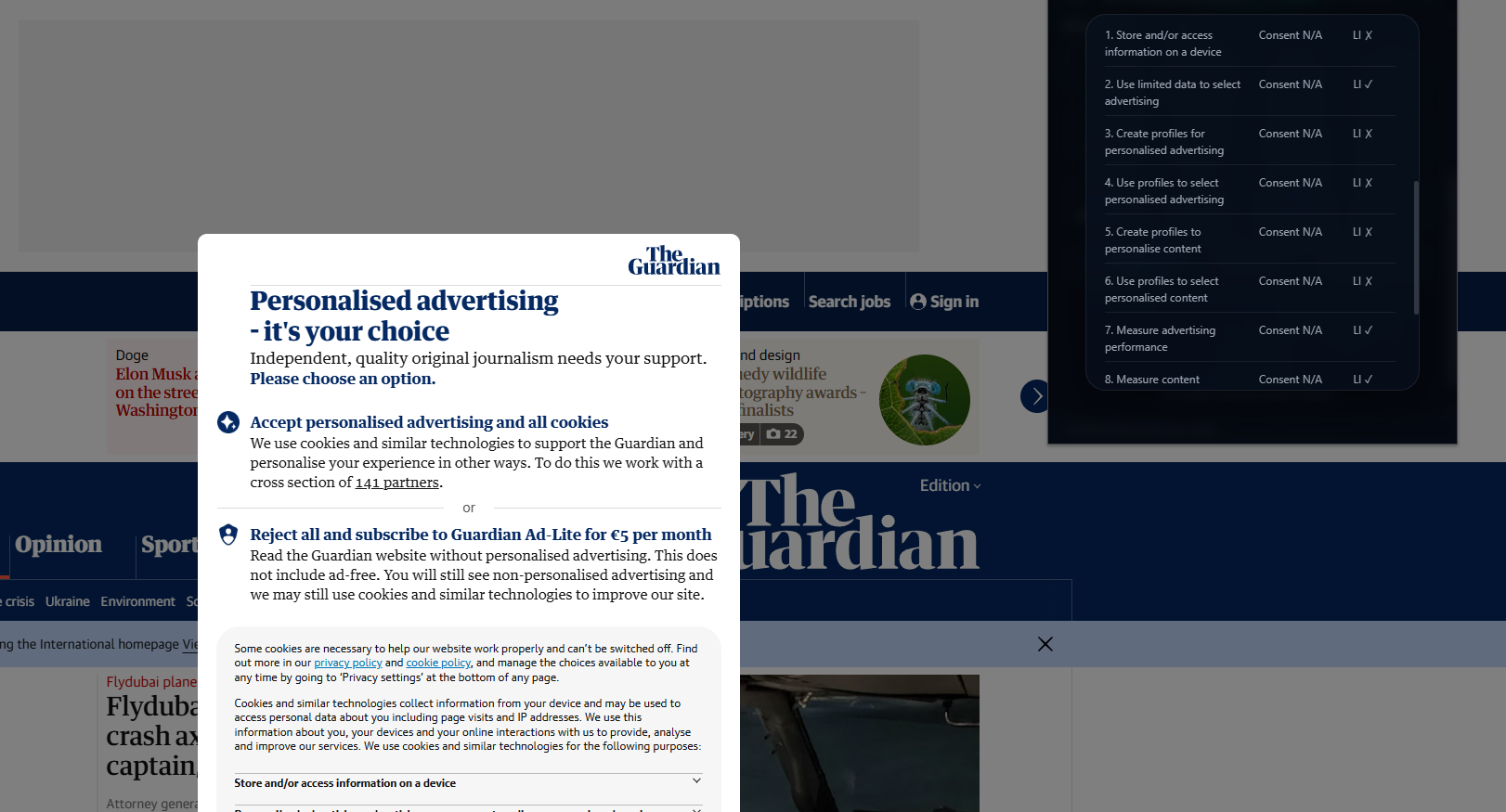
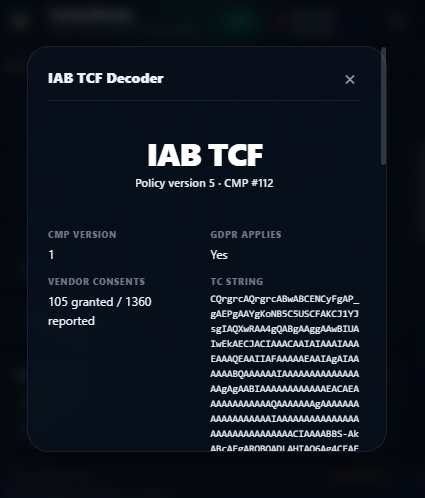
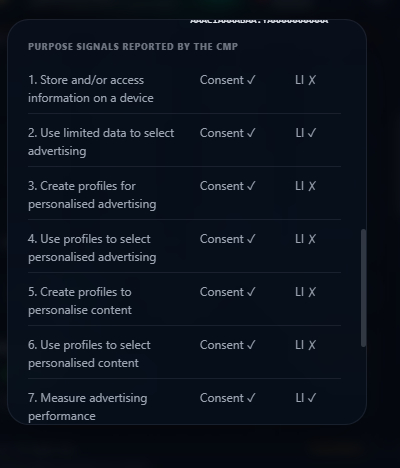
The panel shows the TC string, CMP ID and version, GDPR applicability reported by the CMP, and purpose consent and legitimate-interest flags. Inspect the purpose rows after a choice to see whether the reported state changed as expected.
This is a diagnostic view of data supplied by the CMP. It is not a full vendor-list audit, a legal-basis validator or a guarantee that every advertising partner obeys the signal. API availability and the CMP’s implementation affect what can be read.
A real TCF reading before and after consent
These screenshots were captured on The Guardian on October 3, 2026, before and after accepting cookies. They show the data returned in that browser session, not a compliance verdict or an endorsement by The Guardian. Select a screenshot to inspect the original at full size.
What to compare in a decoder result
| Field | Useful check | Limit |
|---|---|---|
| CMP ID / version | Does this match the deployed CMP? | Metadata does not prove correct blocking |
| Purpose consent | Did the selected purpose change after the choice? | Compare actual network behavior separately |
| Legitimate-interest flag | What signal did the CMP return for this purpose? | A Boolean is not a legal assessment |
| TC string | Does the returned value change when choices change? | Handle as consent-related data when sharing |
For an end-to-end investigation, pair these signals with third-party script analysis and the relevant CMP guide. If the page does not expose readable data, report that limitation rather than a successful audit.
How it works
Open the page in a clean session and use the Pro TCF Decoder before making a banner choice.
Record the returned CMP information and purpose flags, or note that the API is unavailable.
Make a specific choice, such as accepting one available purpose, and run the decoder again.
Compare the returned purpose flags with actual requests and the banner selection. Keep the TC string out of public tickets unless it is needed and reviewed.
Key benefits
Read purpose signals
See the flags returned by the CMP without manually interpreting the encoded string.
Debug mismatched choices
Compare the reported state before and after changing a purpose.
Identify the CMP
Record the CMP metadata returned with the consent data.
Who is it for
Publishers
Investigate how a CMP reports choices used by advertising integrations.
Implementation teams
Reproduce missing or unexpected purpose signals during QA.
Frequently asked questions
Does this decode any string pasted into a form?
Does a missing API prove there is no CMP?
Does a vendor count mean every vendor has consent?
Is a TCF policy version the same as a CMP software version?
Add consent diagnostics to your browser
Extension Pro unlocks these browser diagnostics. For scheduled portfolio audits, compare the separate Monitor and Agency subscriptions.
Compare plans