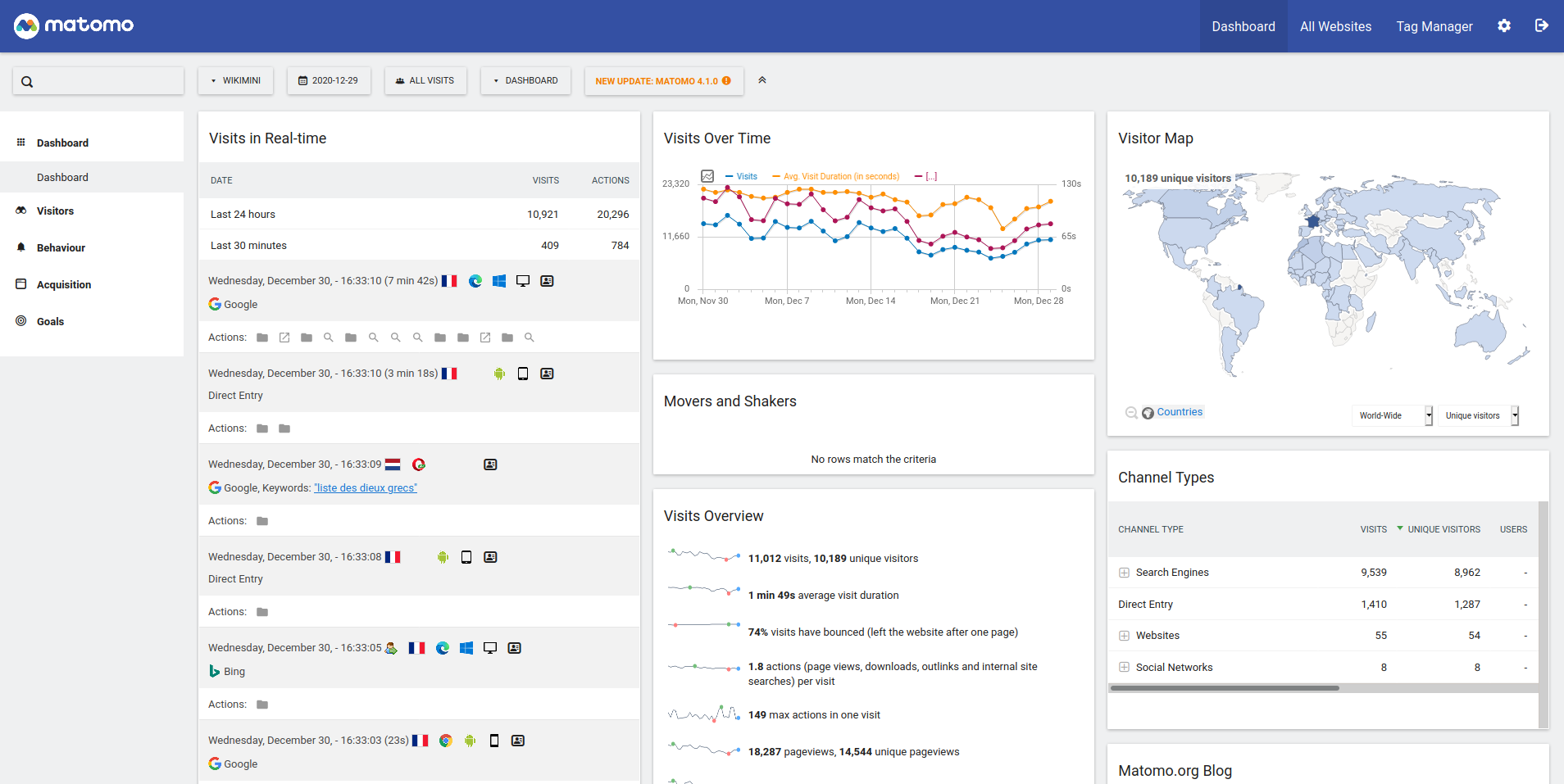
Matomo 4.0 dashboard screenshot by Valerio Bozzolan, CC BY-SA 4.0, via Wikimedia Commons.
Matomo Server-Side Tracking Under GDPR: A Practical Setup Guide
Matomo with server-side tracking puts you in charge of the data pipeline. That is a real advantage. But it does not hand you a GDPR exemption. Matomo server side tracking is powerful, but server side tracking gdpr rules still require consent, anonymization, and a clean handshake before any identifier hits your database. This guide walks through a setup that respects the rules from the first request.
Why teams move Matomo server-side
I have talked to agencies that switched to matomo server side tracking for three practical reasons. Ad blockers and Intelligent Tracking Prevention strip data from client-side trackers. Browser storage limits expire quickly. And marketers want data they can trust. Sending hits through analytics.yourdomain.com fixes most of those problems because the request looks first-party to the browser.
There is a catch. Server-side Matomo still sets first-party cookies like _pk_id and _pk_ses. It still collects IPs, visitor IDs, and device fingerprints. Those can all be personal data. So the move to server-side is about reliability and ownership, not about skipping consent.
- Ad blockers and ITP block fewer first-party requests.
- You control where data lands and how long it stays.
- Raw payloads can be enriched or filtered before storage.
- GDPR and ePrivacy obligations stay exactly where they were.
What GDPR and ePrivacy actually require
GDPR applies whenever you process personal data. An IP address is personal data. A persistent visitor ID is personal data. A browser fingerprint can be personal data if it identifies someone, even indirectly. For analytics processing, consent is the lawful basis regulators expect. Legitimate interest rarely holds up for analytics cookies, and even when you try it, you must let users object as easily as they consent.
The ePrivacy Directive adds the cookie layer. Any storage or access on a user device that is not strictly necessary requires consent. That includes analytics cookies, device fingerprints stored server-side, and persistent IDs. Necessary cookies are limited to things like login sessions or cart state. "Strictly necessary" does not mean "useful for analytics."
| Data point | Why it matters | Typical lawful basis |
|---|---|---|
| Full IP address | Directly identifies a subscriber or household | Consent, or lawful security purpose |
| Visitor ID | Persistent identifier tied to a browser | Consent for analytics |
| Browser fingerprint | May identify when combined with other signals | Consent if stored |
| Raw access logs | Contain IPs, user agents, timestamps | Limited retention + legal basis |
Step 1: Host Matomo on your own domain
Set up a first-party endpoint such as analytics.yourdomain.com or stats.yourdomain.com. Point your DNS to the Matomo server, install a valid TLS certificate, and configure the tracker URL in your site code. This removes the third-party label from the request and gives you control over headers and caching.
Do not stop there. Inspect the response headers from your endpoint. Remove server banners that leak versions. Set cache headers so the browser does not store tracking responses. And make sure the subdomain itself does not load unrelated third-party scripts, because those scripts can undermine the whole point of a controlled endpoint.
Step 2: Anonymize IP addresses
Matomo can anonymize IPs before they reach the database. Enable it in config/config.ini.php under the [Tracker] section:
ip_anonymize_enable = 1
ip_anonymize_mask_length = 2
A mask length of 2 removes the last two octets of an IPv4 address. That is usually enough to stop identification while keeping country-level geolocation useful. If you run IPv6, test the result carefully because the byte boundaries differ. I have seen teams set the mask to 1 and still leak enough bits to narrow a household down to a few addresses.
Anonymization happens inside Matomo, not at the edge. If your reverse proxy or load balancer logs the raw IP before forwarding the request, you still hold personal data. Strip or mask IPs in nginx, Apache, or Cloudflare logs as well. Otherwise your privacy claim only covers half the pipeline.
Step 3: Disable cookies by default
The cleanest GDPR-friendly configuration starts cookieless. In your Matomo tracking code, push disableCookies before trackPageView:
_paq.push(['disableCookies']);
_paq.push(['trackPageView']);
With cookies disabled, Matomo counts visits using a short-lived session fingerprint. You lose cross-session attribution and returning-visitor counts become less precise. That is the trade-off. But you also remove the main reason visitors see a large analytics consent banner, and you shrink your compliance surface dramatically.
If a user later consents to analytics, call _paq.push(['enableCookies']) and _paq.push(['setConsentGiven']). Matomo will then write the normal visitor cookies. If the user rejects analytics, leave cookies disabled. Do not invent a fallback fingerprint to work around the rejection.
Step 4: Wire Matomo to your CMP or consent banner
Your consent banner should drive Matomo, not the other way around. Load the tracker only after the consent state is known. Use the CMP event, not a generic page-load trigger. A typical pattern looks like this:
if (userConsentedToAnalytics) {
  _paq.push(['setConsentGiven']);
  _paq.push(['enableCookies']);
} else {
  _paq.push(['disableCookies']);
}
Place this logic before the Matomo loader runs. If the banner is still loading when the tracker fires, you will record a pre-consent hit. Test the banner on slow networks and with cached pages. I have watched sites fire analytics requests while the cookie modal was still animating in. That is a violation.
Step 5: Handle raw server logs and access logs
Server side tracking gdpr compliance falls apart if your infrastructure keeps a parallel copy of raw data. Web servers, load balancers, and CDNs log IP addresses, user agents, referrers, and timestamps by default. Those logs are personal data too.
- Disable IP logging in nginx or Apache, or mask the last octets.
- Set a short retention window for access logs, such as seven days.
- Do not ship raw logs to long-term analytics or SIEM tools without a lawful basis.
- Separate Matomo application logs from web server logs so you can apply different retention rules.
If you need logs for security debugging, keep them only for the time required and document the purpose. "We might need them someday" is not a valid retention reason under GDPR.
What happens when a user rejects analytics?
When someone clicks "Reject all" or "Only necessary," Matomo must run cookieless. It can still count the page view, but it cannot store a visitor ID, cannot set _pk_id, and cannot build a fingerprint that acts like an ID. If you try to compensate by hashing the user agent or generating a device signature server-side, you are still processing personal data without consent.
Last year I audited a publisher that thought they were compliant because they disabled cookies. Their server-side tracker was still computing a daily rotating hash from IP plus user agent and storing it as a pseudo-visitor ID. The DPA disagreed. The hash was stable enough within a day to single users out, and the site had no consent for it. They had to strip the logic and delete the historic data.
The honest approach is to accept the data loss. A rejected analytics user becomes an anonymous page-view count. That is the deal consent creates. Anything else is a workaround, and regulators are good at spotting workarounds.
Common mistakes we see in Matomo audits
- Loading
matomo.jsbefore the consent banner finishes initializing. - Treating first-party cookies as automatically GDPR-exempt.
- Storing raw server logs while claiming IP anonymization in Matomo.
- Never testing the "Reject all" path after a banner update.
- Using legitimate interest as the lawful basis for analytics cookies.
- Forgetting to mask IPs in CDN or load balancer logs.
- Enabling "Heatmaps & Session Recording" without explicit consent.
- Setting a Matomo visitor ID manually from a logged-in user profile without a separate legal basis.
Matomo server-side vs client-side vs Google Analytics server-side
Client-side Matomo is the easiest to set up. It is also the most visible to ad blockers and browser privacy features. Server-side Matomo moves collection to your domain and improves data completeness. Google Analytics 4 server-side tagging does something similar through Google Tag Manager, but the destination is still Google infrastructure, which brings its own controller and processor questions.
| Approach | Data ownership | Ad blocker resistance | GDPR notes |
|---|---|---|---|
| Matomo client-side | You own the database | Moderate | Consent required for analytics cookies |
| Matomo server-side | You own everything | High | Consent still required; check server logs |
| GA4 server-side tagging | Google processes data | High | Transfer mechanisms and SCCs apply |
Matomo server-side wins on ownership. It does not win on convenience. You become responsible for uptime, scaling, security patches, and log retention. Choose it because you want control, not because you heard it removes consent banners.
A practical audit checklist
Run this checklist in an incognito window with DevTools open. Repeat it after every Matomo, CMP, or server configuration change.
- Open an incognito window and clear all site data.
- Load the page without interacting with the consent banner.
- Open Application > Cookies and confirm
_pk_idand_pk_sesare absent. - Check the Network tab for tracker requests to your first-party endpoint.
- Verify no tracker request fires before the consent state resolves.
- Click "Accept analytics" and confirm cookies appear and hits resume.
- Click "Reject all," reload, and confirm cookies stay absent.
- Inspect the Matomo visitor log and confirm IP addresses are masked.
- SSH into the server and check that access logs do not store full IPs.
- Review CDN and load balancer logs for the same IP leakage.
- Test on a slow 3G throttle to catch race conditions.
- Retest after every Matomo or CMP update.
Server-side tracking does not erase consent. It just moves the responsibility onto a server you control.
Audit your Matomo setup
Find hidden pre-consent cookies and verify your Matomo configuration in seconds.
Audit your Matomo setupConsentScope Team
Verified authorPrivacy Engineers & Chrome and Firefox extension Developers
We build tools that help developers, agencies and privacy advocates detect GDPR cookie violations automatically. Our team analyzes consent banners, cookie behavior and third-party scripts across thousands of websites every month.
Related articles
How to Check If Cookies Are Set Before Consent (Complete GDPR Audit Guide)
Learn how to check if cookies are set before user consent. Step-by-step GDPR audit guide for developers, agencies and privacy professionals.
Server-Side Tracking (Matomo) vs Client-Side Cookies: GDPR Audit Guide
Is server-side tracking GDPR compliant? Learn how to audit Matomo and Google Tag Manager server-side setups for hidden cookie leaks.